Lean archives via native 7z mode
Tuned dictionaries and filters routinely undercut ZIP baselines when bandwidth or offline media budgets tighten—ideal for CAD drops, litigation bundles, or nightly artifact promotion pipelines.

7-Zip
Windows compression workspace
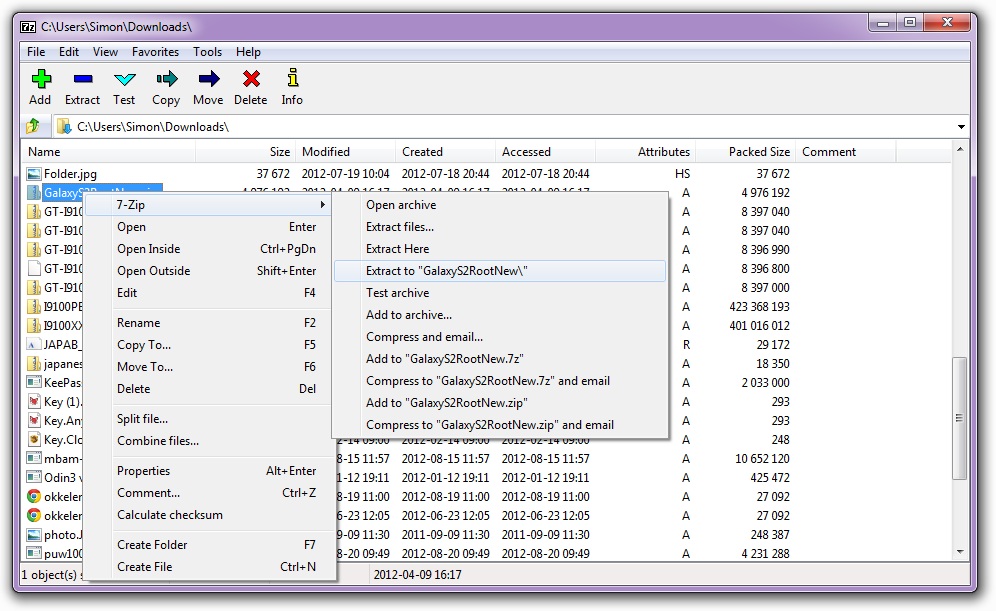
Whether you shrink quarterly finance folders, crack open vendor-supplied bundles, or script unattended installs for IT, 7-Zip keeps those workflows inside a single responsive UI—pairing brutally efficient 7z codecs with courteous ZIP exchanges and enough unpack breadth to tame oddball payloads arriving on Microsoft Windows desktops.
Tuned dictionaries and filters routinely undercut ZIP baselines when bandwidth or offline media budgets tighten—ideal for CAD drops, litigation bundles, or nightly artifact promotion pipelines.
Even if you standardize outgoing files on 7z, the same runtime ingests ISOs, CABs, exotic tar branches, and customer RAR drops so helpdesks retire one-off unpackers cluttering golden images.
Stay aligned with LGPL/BSD obligations—plus any unRAR carve-outs—and you can image student labs, contractor laptops, or remote-call-center seats without chasing procurement SKUs.
Scan the Overview for codec maps and redistribution guardrails, study How to use for Explorer-first walkthroughs, consult Technical before packaging registry snapshots or silent installers, then hit Download for architecture-aware Windows builds—each action button still rotates a unique gateway URL every session.